
With a new year, comes a new patch for Immerse Manager.
In this release is a bunch of new features, enhances alongside the customary slew of bug fixes.
We’re talking live results integration, compatibility with Quantum Systems and a new “Mystery Events” feature.
Let’s dive in.
Table of Contents
New Features
Immerse Results
The most exciting feature is our integration with our live results application – Immerse Results
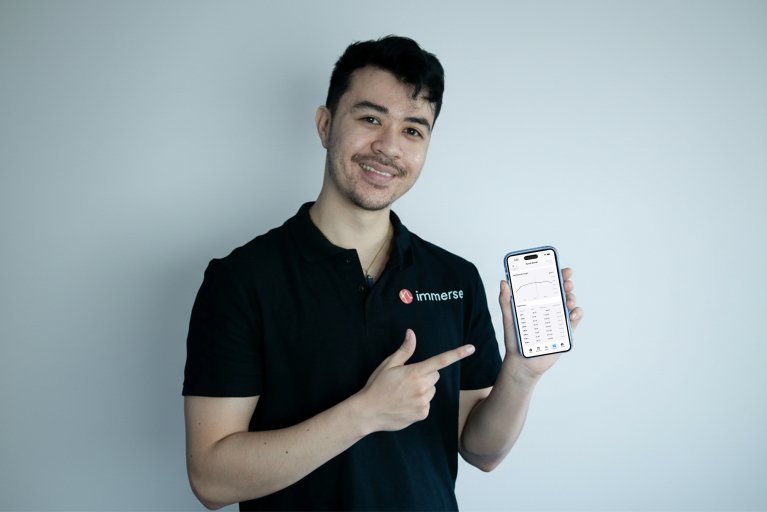
If you have an active Immerse Manager subscription – then you’ll be able to upload your results to both the mobile application and our web app – the latter of which you can access here [link to myswim.io].
Swimmers, parents and really anyone with an internet connection will be able to access their swim results live – currently for free on our web app. It’s a lot more limited than the full release – but you’ll be able to use it to send out live results in a pinch; and it certainly beats trying to pick out your results out of hundreds of names.
When our mobile application is released – swimmers will additionally be able to track their progress/performance over time with a linked account. You’ll also be able to source entries + get entry fees for your events – although this is still being worked on.
Now the mobile application is currently in open beta – if you’d like to get early access you can sign up for that here. We’ll be hosting an open beta sometime in the next few months (date to be confirmed soon).
Mystery Events
If you’re looking to spice things up at your next competition – why not try implementing a mystery event?
Mystery events were built around the idea of:
- Getting swimmers outside their comfort zone
- Rewarding participation in trying new things
- Catering to those who like the idea of a surprise
They work by hiding specific parts of an event from swimmers – swimmers entering won’t know what event exactly they’re swimming in. You’ll be able to set the stroke and distance and see this from Immerse Manager however.
There are two types:
- Stroke hidden from swimmers
- Stroke and distance hidden from swimmers
With a stroke hidden event – swimmers will be able to see the distance of a mystery event but they won’t know the stroke (will it be freestyle? backstroke? or butterfly?).
With stroke and distance hidden – swimmers won’t know either the distance or the stroke. So if you’d like to break out your inner masochist; you can – although perhaps take into account the swimmers skill and experience level before doing so.
You can designate a mystery event by entering ‘?’ or ‘??’ for stroke hidden or stroke/distance hidden respectively in the events module.
If you’re running a lower-stakes competition for fun – can be a great way to spice things up with a bit of mystery!
Compatibility with Quantum AQ Systems
A big change we’re implementing is introducing compatibility with Quantum AQ Systems (Swiss Timing systems). You’ll be able to take advantage of the Swiss Timing’s hardware – whilst using our simplified software to organise times and interface with results.
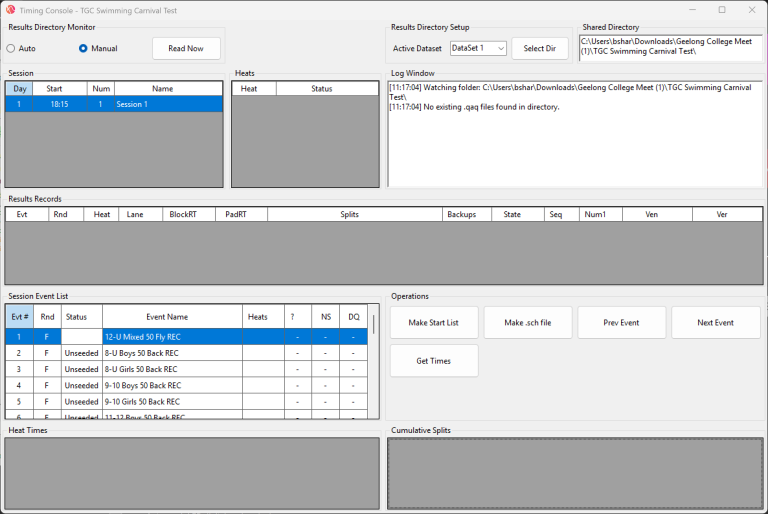
It’s a bit more tricky than our usual stuff – so a detailed guide on using it will be released soon – but if you’re familiar with Quantum AQ and using shared directory workflows – it’ll be a bit more familiar.
Display Messages/Slide Shows on Displays
For those folk out there who want to throw out a few shout outs or photos – you’ll be able to do that with Immerse Manager if you have use of a compatible large display.
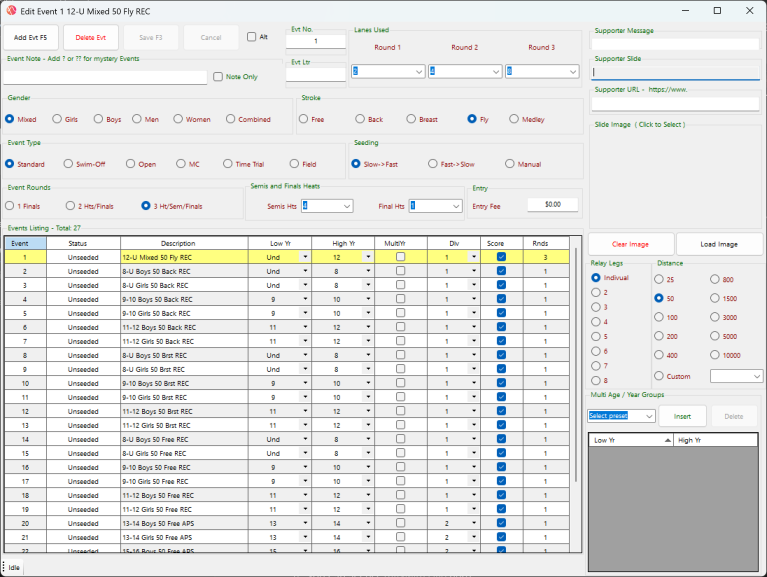
You’ll be able to display specific messages during specific events – have messages automatically cycle in and out over the whole meet – or just display a slide with a photo or text during a break period.
You can add a supporter message/slide to events via the “Edit Events” module.
Additional Notes
Team Logos
As part of compatibility with results applications – you’ll be able to add team logos to each team via the “Teams” module.
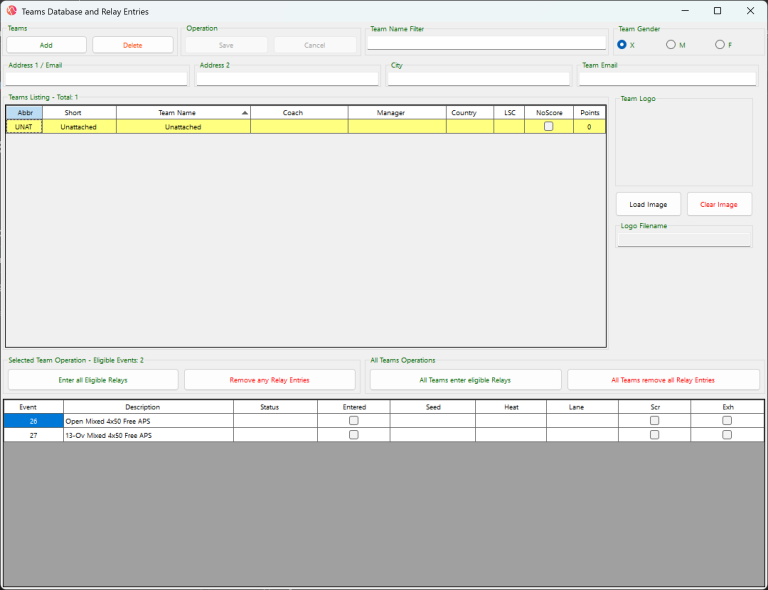
This will mean when you upload results (to Immerse Results or MySwim.Live) you’ll be able to see the logo for each team as well.
Use Year Level instead of Age Groups
Another new feature is that events will be able to use seed base on year levels instead of age groups – a quality of life feature that any of you folks looking to run meets for schools – will perhaps appreciate.
Other Improvements
Additionally, improve automatic emailing of results, support for driver installation for the newest AutoCoach products and many bug fixes have also been added. You can find a non-exhaustive full list of release notes below.
Full Release Notes
New features:
- Live results support for the upcoming Immerse Results application and mySwim.Live
- Click here to find out more about Immerse Results
- You can access mySwim.Live here
- Added support for “Mystery events”
- Mystery events give you the ability to hide aspects of an event – you can hide stroke or stroke and distance
- Adding unpredictably and excitement can be a great way to encourage athletes to get out of their comfort zone
- You can add them by putting ‘?’ in events
- Compatibility with Quantum AQ Systems (Swiss Timing) added
- Able to fetch results from a shared directory
- If you’d like to know more – please get in touch with us
- Added the ability to display messages/slide shows on scoreboard alongside results
- You can configure a slide or message in the ‘Events’ module
- Added the ability to display team logos
- Upload a logo for a team – and it’ll display in results
- Added the ability to use year level instead of age group
- Support added for updating latest AutoCoach devices
- Added automatic emailing of results and meet files
Improvements:
- Enhanced meet timeline and athlete entry validation reports
- Bugfixes regarding timeline
- Improved compatibility with meet manager
- Sanity checking to make sure athletes are only in valid events
- Improved spreadsheet import and export
- Added the ability to use a single spreadsheet for mass entries. You can have an athlete, team, entries and specify entry times
- There is an example spreadsheet for this that you can access in the desktop folder installed alongside the program.
That’s all from me for today. As always, if you find any bugs or have any feedback – get in touch with us in our contact form.
Bryce
Operations Manager